Paper Trading on TradingView: Practice Like It's an Evaluation
How to set up TradingView paper trading, match it to a real prop firm evaluation, deal with delayed futures data and know when you are ready.
On this page
The short answer: TradingView has a built-in paper trading account that's available to all users. Open a chart, click Trade, choose Paper Trading and connect. To make the practice count, reset the balance to match the evaluation you plan to take, copy its drawdown and daily limits, and log every trade. Note that free TradingView accounts see CME futures data on a delay, so for live futures practice you'll want real-time data.
Key takeaways
- TradingView Paper Trading is free and uses simulated money.
- Set the balance and rules to match a real evaluation.
- CME futures data is delayed on free plans; real-time needs a paid plan and a data add-on.
- Practice on the platform you'll actually use for the evaluation when you can.
- Judge paper results by rule-following, not just profit.
Why should you paper trade first?
Because practice is cheaper than evaluation fees. Most traders who fail evaluations fail on risk, not strategy. Paper trading lets you find that out for free. It's the step we recommend before choosing between a prop firm or your own account.
How do you start paper trading on TradingView?
Four steps, and the last two matter most.
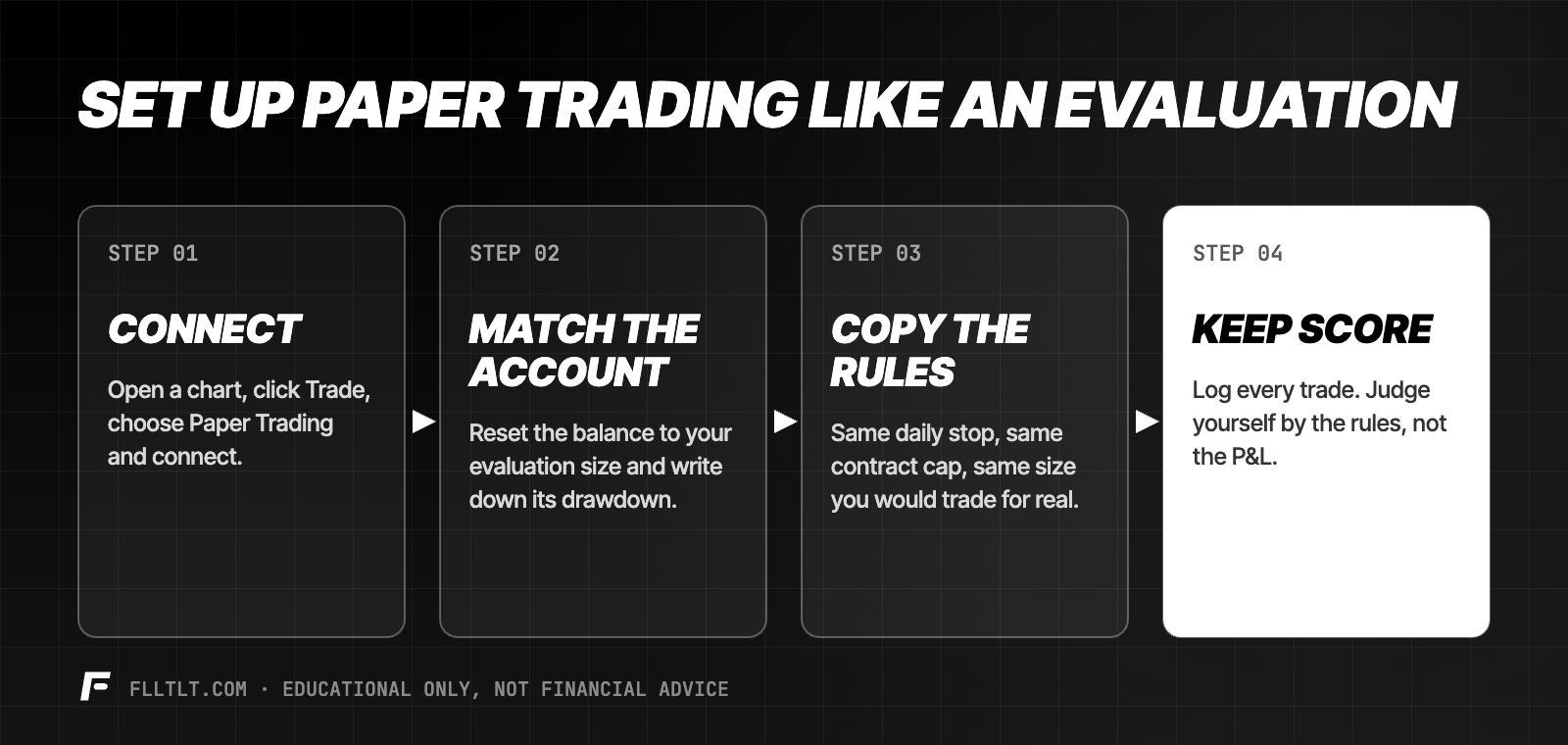
- Connect. Open any chart in Supercharts, click the Trade button and pick Paper Trading from the list of brokers, then connect.
- Match the account. Reset the paper account and set the starting balance to the size of the evaluation you're practicing for, like $50,000. Write down that account's drawdown and daily limit somewhere you'll see them.
- Copy the rules. Trade the same contracts, the same risk per trade and the same personal daily stop you'd use for real.
- Keep score. Log each trade with the setup, entry, stop, target and result.
Is TradingView data real-time for futures?
Not on the free plan. By default, TradingView shows CME futures like ES and NQ on roughly a 10-minute delay. Real-time CME data requires a paid TradingView plan plus a separate CME data subscription. Broker data from platforms like NinjaTrader or Tradovate doesn't carry over to TradingView. Check TradingView's current plans for pricing.
Delayed data is fine for learning the platform and reviewing setups. For practicing live entries and exits, you need real-time data, or the simulator your prop firm provides.
How do you track a TradingView paper account like an evaluation?
TradingView won't enforce prop firm rules for you, so you have to. Track these by hand each day:
| Check | What to track | Rule example |
|---|---|---|
| Drawdown | Highest balance minus current balance | Fail if it passes $2,000 |
| Daily loss | Today's closed and open losses | Stop at 2–3 losses |
| Size | Contracts per trade | Same size every trade |
| Trades | Number taken today | Stop at your cap |
If you'd have failed under real rules, count it as a fail. That honesty is the whole point of practicing. The trailing drawdown is the rule people most often forget to track.
What are the limits of paper trading?
- Fills are optimistic. Simulated orders often fill more cleanly than live ones, especially on fast moves.
- No real emotion. Losing fake money doesn't sting like a real loss or a failed evaluation. Expect to feel more pressure later.
- Platform differences. Many futures prop firms use platforms like Tradovate or NinjaTrader. Practice there too before your evaluation, so order entry isn't new on day one.
From the desk Indy trades MNQ and records results in points on Day Trader Income. His take on paper trading: score it in points and rule breaks, not dollars. Fake dollars are easy to ignore. A broken rule is a broken rule in any account.
How long should you paper trade?
Until you can follow your rules for several weeks in a row. There's no fixed number of days. A useful bar: 20 or more trades with no rule breaks and a positive result. If you can't do that with fake money, real money won't make it easier. When you're ready, read how to pass a prop firm evaluation.
The bottom line
TradingView paper trading is free and quick to set up. Make it worth something by matching a real evaluation's size and rules, tracking the drawdown yourself and logging every trade. Then move to the platform you'll actually trade on before you spend money.
Fulltilt isn't affiliated with TradingView. Features and pricing can change; check TradingView's help center for current details.
FAQ
Is paper trading on TradingView free?
Yes. TradingView Paper Trading is available to all users and uses simulated money.
How do I start paper trading on TradingView?
Open a chart in Supercharts, click the Trade button, choose Paper Trading from the broker list and connect.
Is TradingView futures data real-time?
Not on the free plan. CME futures data shows on roughly a 10-minute delay by default. Real-time data needs a paid plan and a CME data subscription.
Can I practice a prop firm evaluation on TradingView?
Yes, if you set the balance to match the evaluation and track the drawdown, daily loss limit and size rules yourself, since TradingView does not enforce them.
How long should I paper trade before a prop firm evaluation?
Until you can follow your rules for several weeks. A useful bar is 20 or more trades with no rule breaks and a positive result.